--- title: "How to Connect Phone to Vizio Smart TV (Easy Guide)" date: 2025-01-03 author: "Mike Jones" featured_image: "https://techyoy.com/wp-content/uploads/2022/12/how-to-connect-phone-to-vizio-smart-tv.png" categories: - name: "Smart TV" url: "/topics/smart-tv.md" tags: - name: "Vizio TV" url: "/tags/vizio-tv.md" --- # How to Connect Phone to Vizio Smart TV (Easy Guide) Nowadays, with **advancements in technolog**y, people are finding ways to **connect phones to TV**. They can **use the phone as a remote** or even **cast or mirror content** to the TV. I have tried connecting my smartphone to my **Vizio smart TV** and it’s easy and effortless! In this guide, I have included how to connect the phone to a **Vizio smart TV** with **Android** and **iPhone**. ## How to Connect Your Phone to Vizio Smart TV You can connect your phone to Vizio TV by using the **Vizio app** if you have both **Android** and **iPhone** devices. Also, Android phone users can connect their phone using a **Screencast feature** and iPhone users can use the **AirPlay feature**. It is important to connect your phone and Vizio TV to the same internet. ### 1. With Android and iPhone #### Vizio App 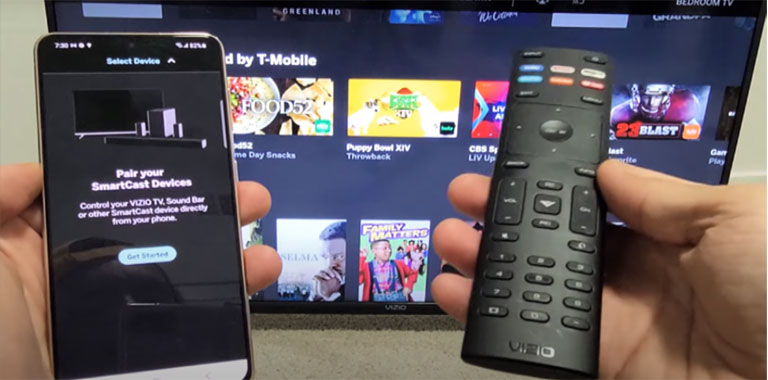 Connecting your phone to a Vizio smart TV is not difficult at all. The **VizioSmartcast app** is the initial item you need to connect your smartphone to your Vizio smart TV. With the help of this app, you may **access all your options from your smartphone** and link it to the Vizio smart TV. Any content you want to watch may quickly be loaded into your phone and transmitted to your TV. Here’s **how to link your smartphone to your TV using the SmartCast app**: - Connecting your phone and TV to the **same wireless network** is crucial to prevent connection issues. - On your phone, go to **Google PlayStore** or **App Store** and download the Vizio Smartcast app then create an account. You can simply **log in if you have an existing account**. 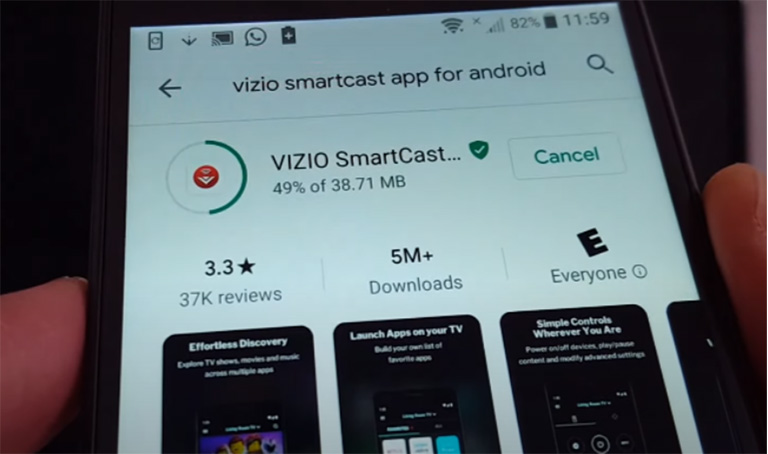 - Next, **select the device you wish to connect** to by tapping the toolbar in the upper-left corner of the screen. - You will then see a selection of **available nearby devices**. Hit the **Start button** after selecting the **VIZIO smart TV’s device name**. 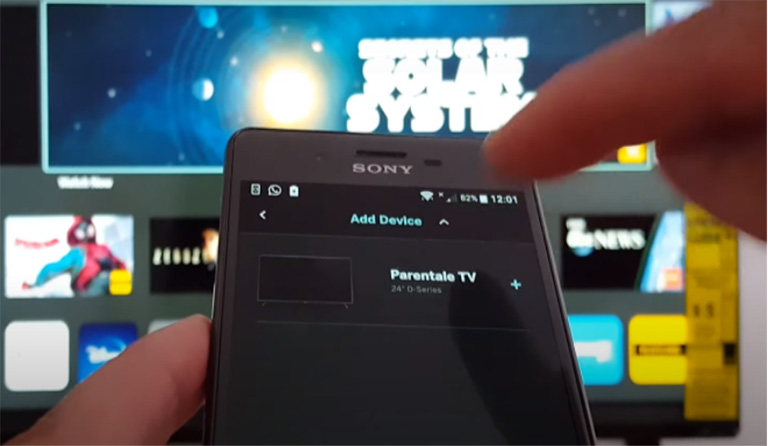 - Your VIZIO TV will prompt you to **pair both devices with a four-digit PIN**. As you wait for the connecting process to complete, input the **PIN code** for your smartphone. 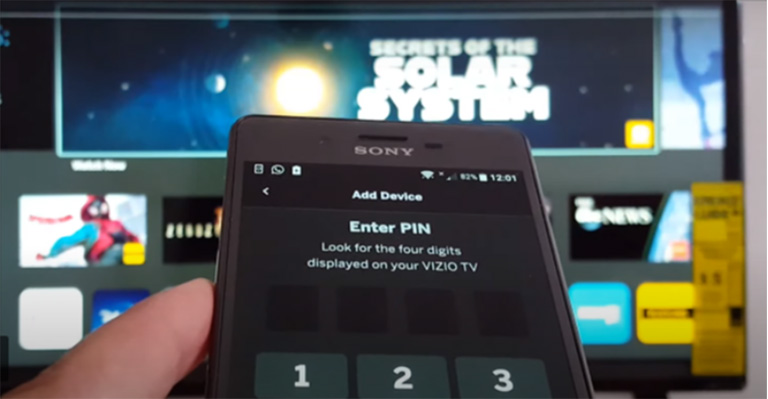 - The VIZIO TV is now paired with your Android smartphone or iPhone. The app allows you to operate your TV on your phone. With the help of the **ScreenCast function**, you can also project movies, TV shows, and other material from your phone onto the TV. Apart from **Vizio SmartCast TV**, the app helps you **connect to other VIZIO SmartCast devices**, such as **speakers** and **soundbars**. [See also Vizio TV No Sound (This Fix Worked for Most)](https://techyoy.com/fix-vizio-tv-no-sound/) ### 2. With Android Phone #### Screencast Let’s tackle **another method for Android gadgets**. Follow the steps below on how to connect it easily. - Turn on your smart TV, and **set up its WiFi connection** if it hasn’t been set up yet. - Navigate to your Android phone’s settings and search for the **display cast function**. The name varies for different smartphones. Furthermore, this is a recent function that may be absent in very old devices. - Now, select the **screencast option on your phone**. This will provide a **list of compatible devices** to which you can cast. - Choose your Vizio TV then hit “**Ok**.” That’s all you need to do to pair your Android smartphone to this smart TV. You can now stream nearly anything from your smartphone to your television. ### 3. With iPhone #### Airplay You should make sure of a few things before you go through this procedure. Your **TV must support Airplay**, and it must also have the **most recent software version** to work with the AirPlay function on your iPhone. Remember that your **iPhone must run iOS 12.4 or later** as well. This won’t work otherwise. Let’s get right into it: - Connect the iPhone and smart TV to the **same wireless network**. - After that, turn on the Airplay from the Vizio TV. To achieve this, click the **home key** and select **Extras**. Next, scroll down until you **find the AirPlay choice and switch it on**. - Visit your iPhone or iPad’s **control center**. Click on the **screen mirroring icon**. 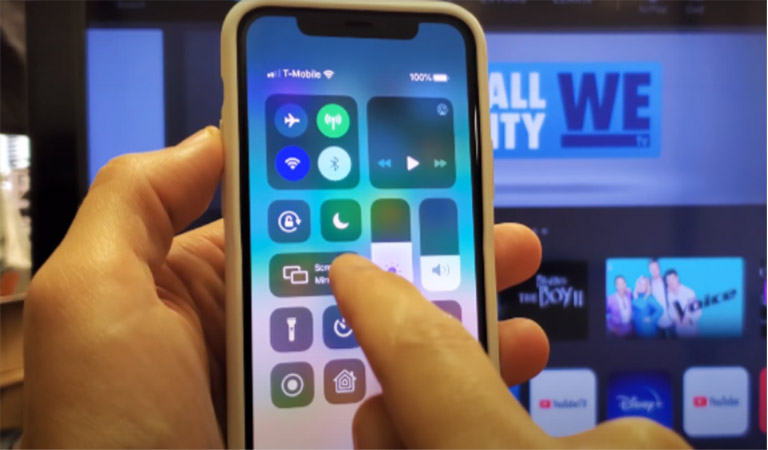 - Following that, you’ll see a list of devices you can connect for **wireless displays**. Select your smart TV in the displayed list. 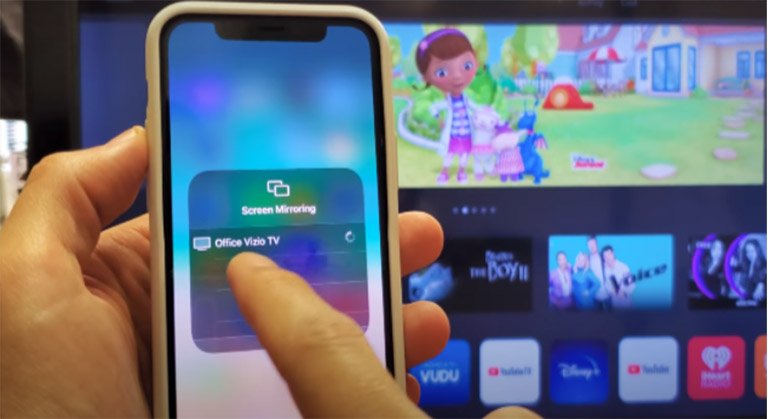 - You’ll see a **4-digit pin** on your phone that you must enter on the TV to pair and you’ll be good to go. ## What to Do if Your Vizio TV Is Not Connecting to Your Phone As far as we can tell, linking your smartphone to a Vizio TV is simple. However, occasionally there are problems, and you cannot use your smartphone with the smart TV. Here are some of the **solutions** you should try. ### a) Update your TV’s firmware. Supposing the firmware program on the Vizio TV isn’t the **most recent version**, connecting a smartphone to a TV would undoubtedly be challenging. To **update the smart TV**, you need to: - Tap on the **Vizio TV remote’s Home Button**. - Select **Extras**. - Select the **System tab**. Then **check for System Updates and Systems information**. - Look for the **available updates**. - Start installing the **latest update**. ### b) Check the power of your TV. To **test the power**, you should: - **Remove your power cable** from its outlet. - **Long press the Vizio TV’s power button** for three to five seconds. - **Reconnect the power cable** and then turn the TV on. ### c) Reboot your home router. Just **unplug your router’s power supply**. Wait around **10-15 seconds** before reconnecting the power cord. When your router has restarted, reconnect your TV and phone and try casting once more. ### d) Connect to the same internet. Ensure that the **TV and the phone are connected to the same network**. You might have had a **cellular data network connection** to your phone or tablet and this will **hinder the casting from phone to TV.** [See also Who Makes Vizio TVs and Where Are They Made (In the US?)](https://techyoy.com/who-makes-vizio-tvs/) ## Frequently Asked Questions  **Can I Connect My Android Phone to Vizio Without Wi-Fi?****Yes**, you won’t need Wi-Fi or an internet connection to link your phone to a Vizio Smart TV if you use an **HDMI cable** and an **MHL adapter** for your phone and television, respectively. **Can I Connect More Than One Device to My Vizio TV?****Yes**, Vizio Smart TVs support **multiple connections at the same time**. **Is the Vizio SmartCast Mobile App Free?****Yes**, the Google Play Store and App Store offer **free downloads** of the Vizio SmartCast Mobile application. **Why Won’t My Vizio TV Pair With My Phone?**One reason is that your smartphone is not connected to a specific common network. Additionally, confirm if your **Android phone is version 5 or later**. **How Do I Set Up Bluetooth on My Vizio TV?**Place your gadget into pairing mode following the manufacturer’s instructions, then choose the device name from the **Bluetooth devices** in your TV’s Bluetooth Headphones Menu to connect it to your TV. You might need to tap “**More Devices**” if your device isn’t showing. **Can I Mirror My Phone to My Vizio TV?****Yes**, you can, provided your Android phone is powered by **Android 5.0 or higher** and **screen mirroring is supported**. This will happen with the help of the VIZIO SmartCast mobile application. ## Conclusion You should have no problems if you understand how to link your phone to a Vizio smart TV. In summary, the procedure is straightforward and offers many benefits and ease. You will also need the devices running the required version to make the connecting process a walk in the park.