--- title: "Roku TV Volume Too Low (How to Fix It!)" date: 2024-12-27 author: "Mike Jones" featured_image: "https://techyoy.com/wp-content/uploads/2022/12/roku-tv-volume-too-low.png" categories: - name: "Smart TV" url: "/topics/smart-tv.md" tags: - name: "Roku TV" url: "/tags/roku-tv.md" --- # Roku TV Volume Too Low (How to Fix It!) When **watching TV**, the **sound** is crucial since it helps you **fully immerse** yourself in the program and ensures that you can hear what’s being said. Now, have you experienced the **volume of your Roku TV** still too low even if it was set to the highest setting? I have, and at first, I thought it was just my Roku TV volume too low! But I had my volume on max and I still don’t hear the TV audio. So how to fix this Roku TV low-volume issue? Let me teach you the ways below! ## Fix Too Low Roku TV Volume We know there are many reasons why your Roku TV volume is low. This issue can be fixed by checking your [TV remote](https://techyoy.com/how-to-sync-roku-remote-without-pairing-button-2/) and trying to press the **Volume Up button**. Secondly, try to change your **TV sound setting**. Another alternative is to check the state of your **speakers**. ## Why Is the Volume So Low on Your TV? 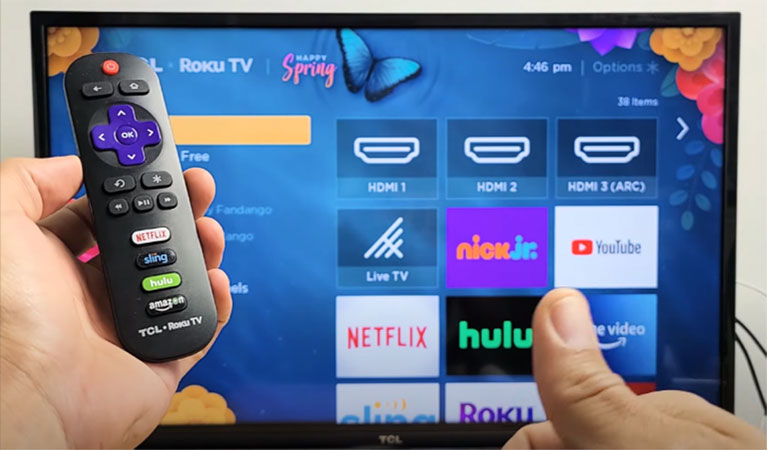 ### 1. Remote Control Problems The remote controls for TVs often feature buttons for **mute**, **volume down**, **volume up**, **channel down,** and **channel up**. These buttons may occasionally break down, which will cause your TV’s volume to be low. ### 2. Incorrect Volume Settings Each TV includes a menu with numerous settings. These settings are typically **preset at the manufacturer** and remain the same unless altered by you or another person. You run the risk of having **audio problems** with your TV when you alter these settings. In some cases, **third-party software** or **cable devices** might also change the **sound settings** on your TV, lowering the volume and degrading the sound quality. ### 3. Connected Headphones The TV’s low volume could have been caused by the fact that you forgot to **unplug your headphones**. As long as your headphones are plugged in, the TV automatically reroutes sound to them. ### 4. Loosened TV Cables Your TV’s sound may be absent or played at a low volume as a result of **loose TV cables**. **Cable damage** might also result from **dust** or **aging materials**. ### 5. Outdated Firmware The sound and **visual quality** of a TV may be lower if the **software is out-of-date** on the device. A common issue with outdated TV firmware is **low audio and video quality**. ## How to Fix Roku TV Volume Too Low Below are the **detailed solutions** on how you can go about it. ### 1. Check the Remote for Your Roku TV 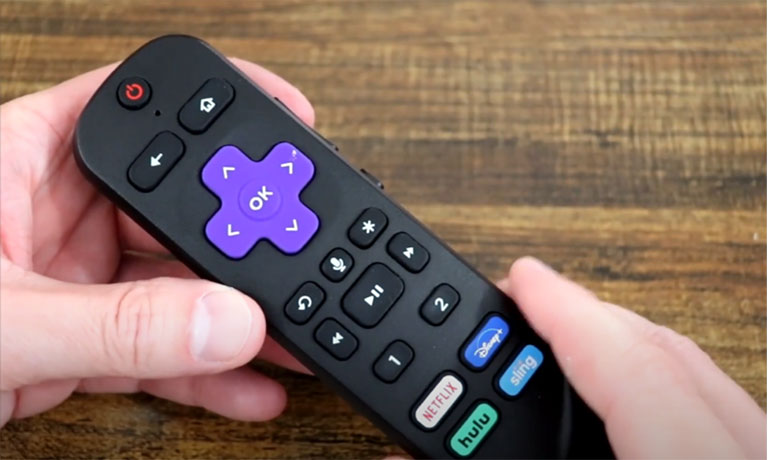 Before exploring in-depth Roku TV’s audio fixes, verify that the sound setting on your device is low. Just **raise the volume** using your remote control. However, other users experience problems with **remote connectivity**. Because of this, they might not be able to change the Roku TV’s volume. To determine if the same is occurring to you, confirm the **functionality of the mute and volume buttons** on your remote. You’re most probably facing a **Roku TV remote problem** if the device isn’t responding. First, there’s a chance that your remote is just having **battery issues**. So be sure to **replace the batteries** then try turning up the volume. ### 2. Replace Damaged TV speakers Like any other electrical gadget, your Roku TV can experience **hardware issues**. It might have **worn out and degrading electrical parts,** especially in **older TV models**. You can blame your Roku TV’s bad sound quality on damaged **built-in speakers**. There can be minor inconsistencies at first. The volume could be: - **Deep** - **Low** - **Distorted** - **Muffled** The speakers would eventually stop working, leaving your Roku TV completely **soundless**. You can get in touch with [**Roku Customer Service**](https://support.roku.com/) if the device still has a **valid warranty**. You can either get **assistance with repair and troubleshooting** or **request a refund**. If the device’s **warranty has expired**, you can still **purchase an exterior speaker** to use with it. Roku TV and [Bluetooth soundbars and speakers](https://techyoy.com/does-roku-tv-have-bluetooth/) are fully compatible. They are able to give you even greater sound quality. ### 3. Adjust the Sound Settings of Your Roku TV You can play around with the **expanded sound setting** on Roku TVs. With these choices, you can modify and customize music according to their preferences. The device offers a variety of **sound modes**, each with its **unique preference settings**. These are **audio modes** available on Roku TV as well. - **Bass Mode**: Modify lower frequencies or the noises you hear or feel, like the kicks of the bass drum at a concert or strong explosions in movies. - **Sound modes**: Change the audio track’s sound modes to get more or less bass. - **Volume modes**: Night mode and automatic leveling include different volume settings that allow you to turn down the volume for noisy scenarios and turn it up for quieter ones. - **Treble**: You can adjust the high frequencies to produce a “brighter,” higher detailed sound or a softer tone by increasing them. - **Speech clarity**: Make speech more audible in comparison to other noises You can also modify the following using a **Roku Smart Soundbar or Streambar Pro**. - **Expanded stereo**: Determine how you’ll play stereo using your sound system. - **Virtual surround**: With this, you can give everything you view a wide sound experience. Moreover, the extra settings listed below can be changed when **Roku wireless speakers** are connected to a Roku soundbar or Streambar as **surround speakers**. - **Surround level**: Change the rear speakers’ volume. You can adjust the Roku TV’s numerous sound settings to solve your volume issues. By **enhancing the audio**, certain volume modes might raise a volume that is too low. Audio can, however, sound low and soft due to particular **volume settings**. To determine whether the previous configuration was the source of the first audio issues, try **changing modes and settings**. Remember that **not all Roku TV models** support these volume settings and modes. If you frequently switch between different apps, feel free to use the **automatic volume leveling** on Roku TV. The volume level will remain constant between streaming services and applications thanks to this functionality. ### 4. Repair Your TV Connection With Remote Control The **Enhanced Remote for Roku TV** occasionally disconnects. The **Enhanced Remote** for Roku TV can be reset and paired again using this procedure: - Remove the **batteries** by opening the remote’s case. - Remove the **Roku receiver’s power cable.** - Before connecting the receiver again, wait for around **45 seconds**. - Put the batteries **back into the remote** so it can function. - For around **7 seconds**, firmly hold and press the remote’s **pairing button**. - Wait until you notice a **light flashing**; this shows that the gadget is preparing to pair. - Return to the Roku TV and await the Enhanced Remote to **complete pairing**. - Verify the **functionality** of each button, including the mute and volume buttons. You can easily **increase the volume** if all you have to deal with is a non-functioning remote. [See also Roku Low Power or Insufficient Power (Try This Fix!)](https://techyoy.com/roku-low-power/) ### 5. Factory Reset the Audio Settings on Your Roku TV It can take some time to adjust the device’s audio settings. Additionally, most of this repair involves **trial and error**, which may frustrate some people. You may **factory reset the audio settings** on your device if you want to avoid all these steps. The settings will return to their **initial configuration** after this process. Note that only the audio will be impacted, not the other parts of the TV. The steps listed below can be used to open the Settings page and **carry out a factory reset**. - Using your Roku remote, select **Home**. 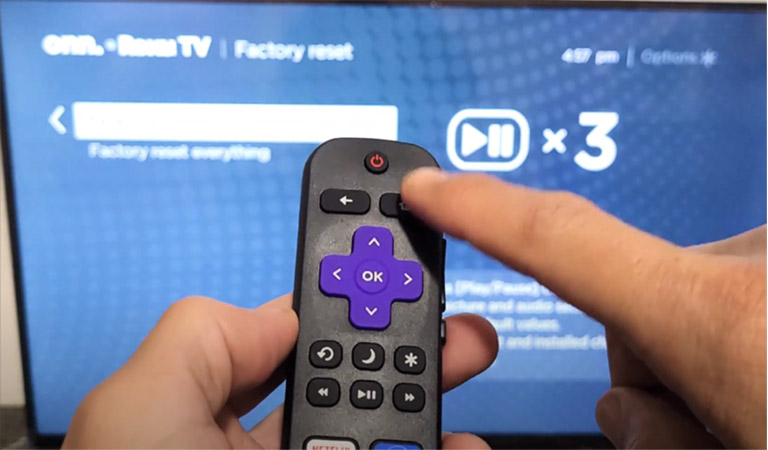 - Then, tap **Settings**, go to **Systems** - Scroll till you see **Advanced system settings**. 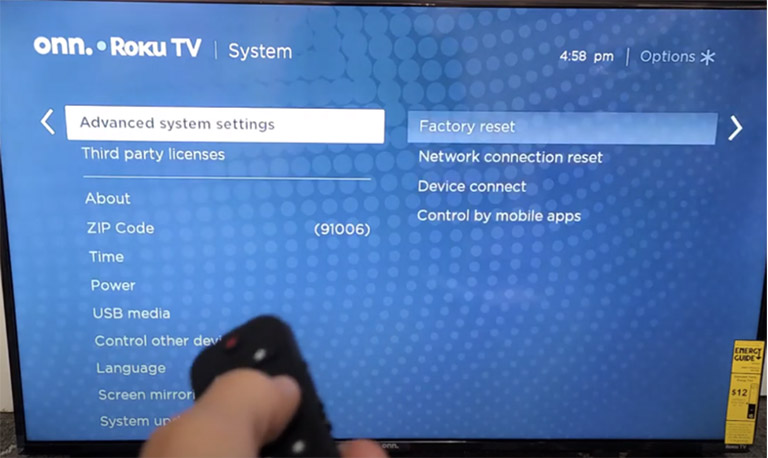 - Click on the **Factory Reset** option. - Select the **Reset TV audio/picture settings** to not completely reset your device. 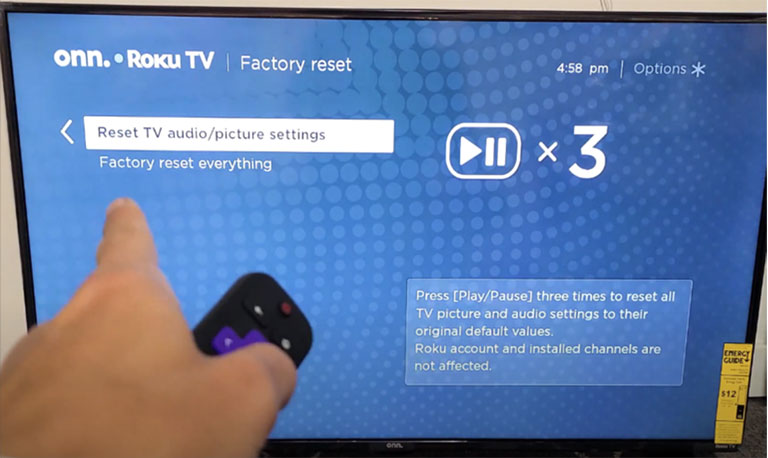 ## Frequently Asked Questions  **Can I Make My Roku TV Louder?****Yes**, the simplest way to adjust the Roku TV’s volume is to use the actual remote. Raise the volume by tapping on the **Volume Up** button. **Why Is My TV Volume Suddenly Low?**The issue of suddenly low TV volume might be a result of **wrong sound settings** or **out-of-date software**. By adjusting the **speaker settings**, switching to a **new connection cable**, or turning up your **set-top box’s volume**, you can address this problem quickly. Also, check to ensure your TV is **not muted**. **What Is TruVolume on Roku TV?**This is a ground-breaking solution that offers a **comfortable and consistent volume level** for a **better multimedia experience**. **Can You Adjust the Roku Volume?****Yes**. The simplest way to adjust the volume on your Roku is to use the **physical remote**. You may adjust the volume by using the volume. ## Final Word As you’ve seen, there are a number of steps you can take to address the problem with your Roku TV’s volume being way too low. Examine whether the external sound system is the problem after you reset your remote and TV. If you’ve never connected an external sound source, give it a go to get better access to the sound capabilities. Finally, change the TV’s volume setting. Hopefully, this guide helped fix the low volume on your TV!